Every morning
Learn Japanese without opening an app.
One new character a day on your lock screen and home screen, the screens you already check a hundred times. Hiragana, then katakana, then the sound rules that turn them into words, then kanji built from parts you already know. Two minutes a day is the floor.
iPhone and iPad. Rated 5.0 on the App Store. On Android? Join the Google Play waitlist.
The whole habit
Glance. Trace. Recall.
Most language apps ask for a session. Hibi asks for the two seconds you were already going to spend looking at your phone, and gives you somewhere to go deeper when you want it.
The widget is the appointment
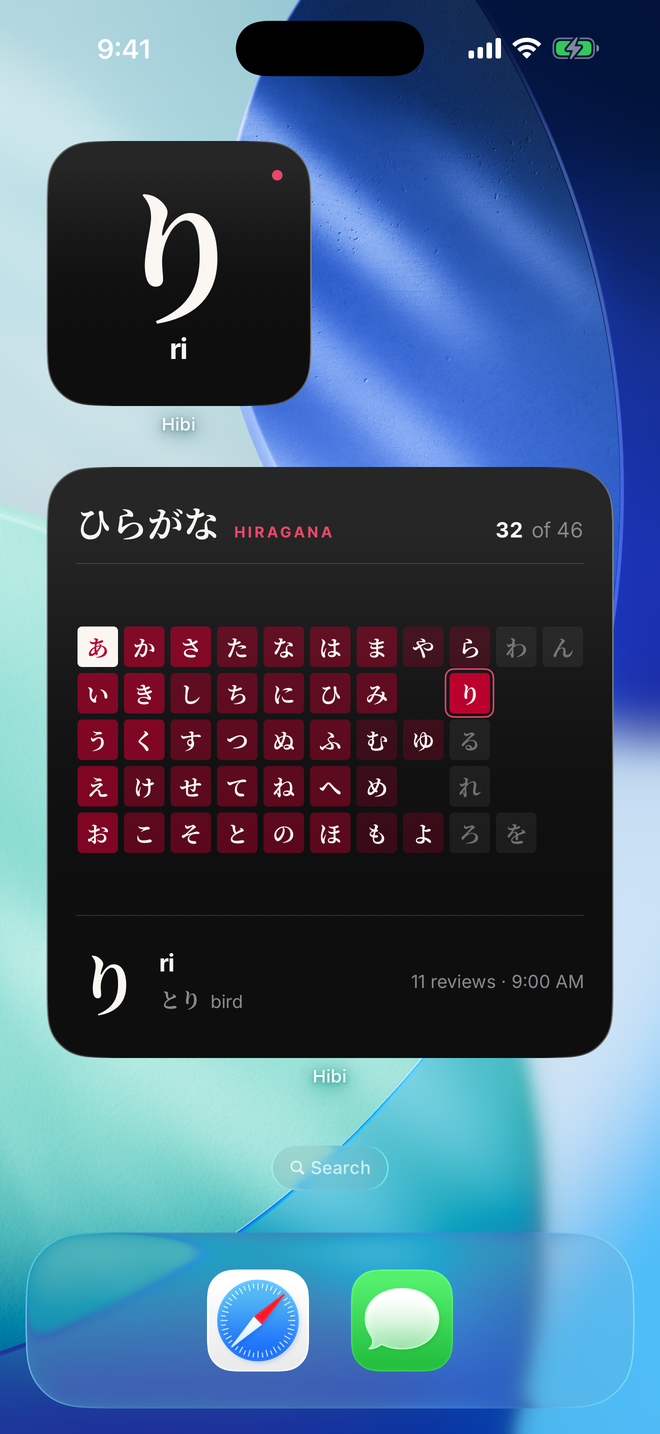
Today's character sits on your lock screen and home screen. It does not buzz, it does not beg, it does not guilt you at 9pm. It is simply there when you pick up your phone, and the board behind it fills in as you learn.
Write it yourself
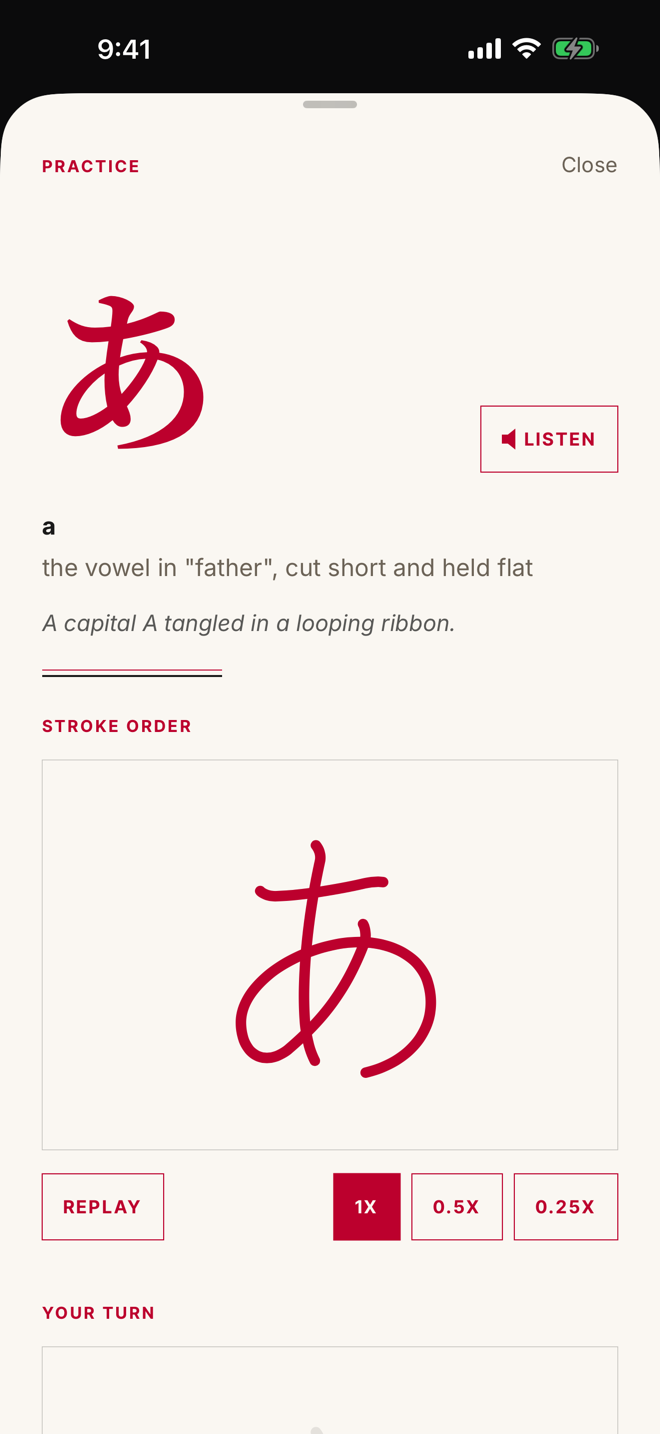
Every character draws itself stroke by stroke, then you trace it with your finger and see exactly where you drifted. Kanji too, once you get there.
It comes back
Reviews arrive once a day, in one batch, scheduled by FSRS, the open spaced repetition algorithm. What you know comes back rarely. What you keep missing comes back soon. Every character climbs a ladder from Seed to Sealed.
Inside
Six screens, no confetti.
Before day one
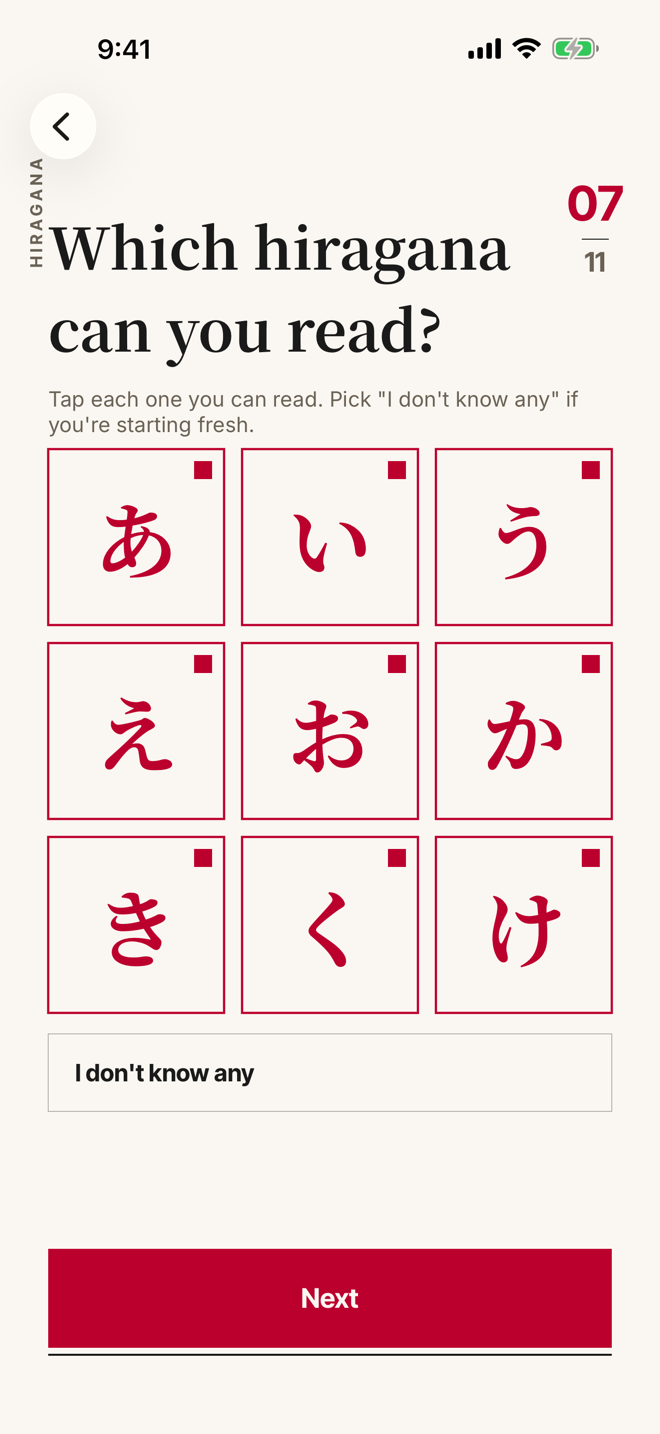
Start where you actually are.
Tick the kana you already read. What you know starts as known, and Hibi teaches the rest.
Your pace
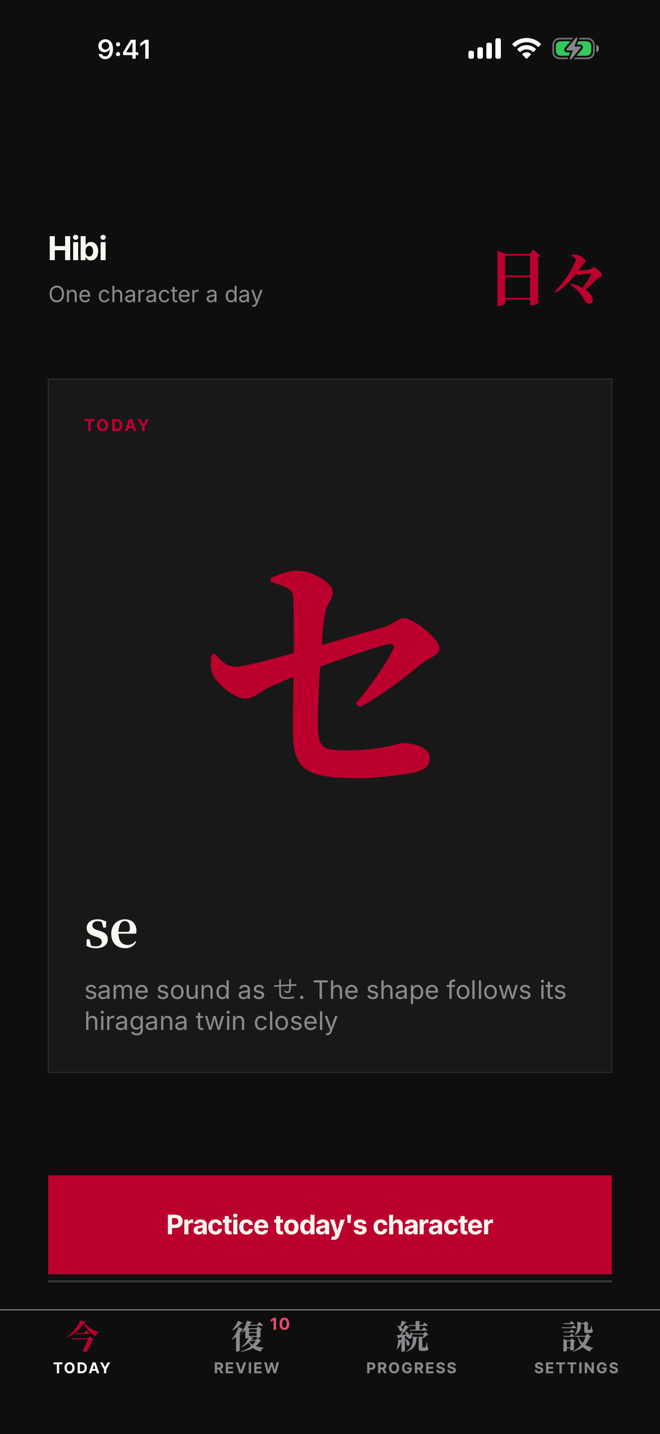
One new character a day. Or three, or five.
Light, Steady or Eager. Hiragana, then katakana, then the sounds that make words.
Stroke order
Trace every stroke until your hand knows it.
Stroke by stroke, in the order it is taught in Japan. Quick Practice for any spare minute.
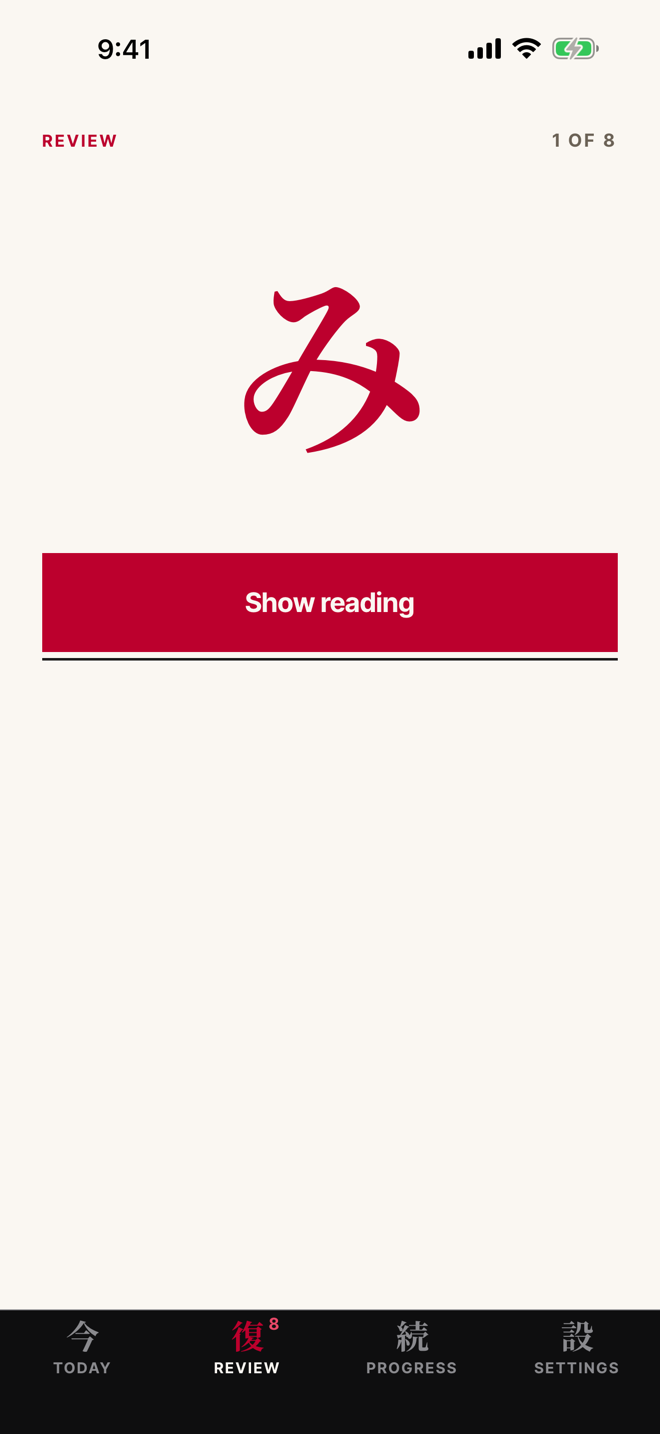
Reviews
Recall it with the answer hidden.
One batch a day, at your reminder hour, freshest first. Then it comes back, spaced out, until it sticks.
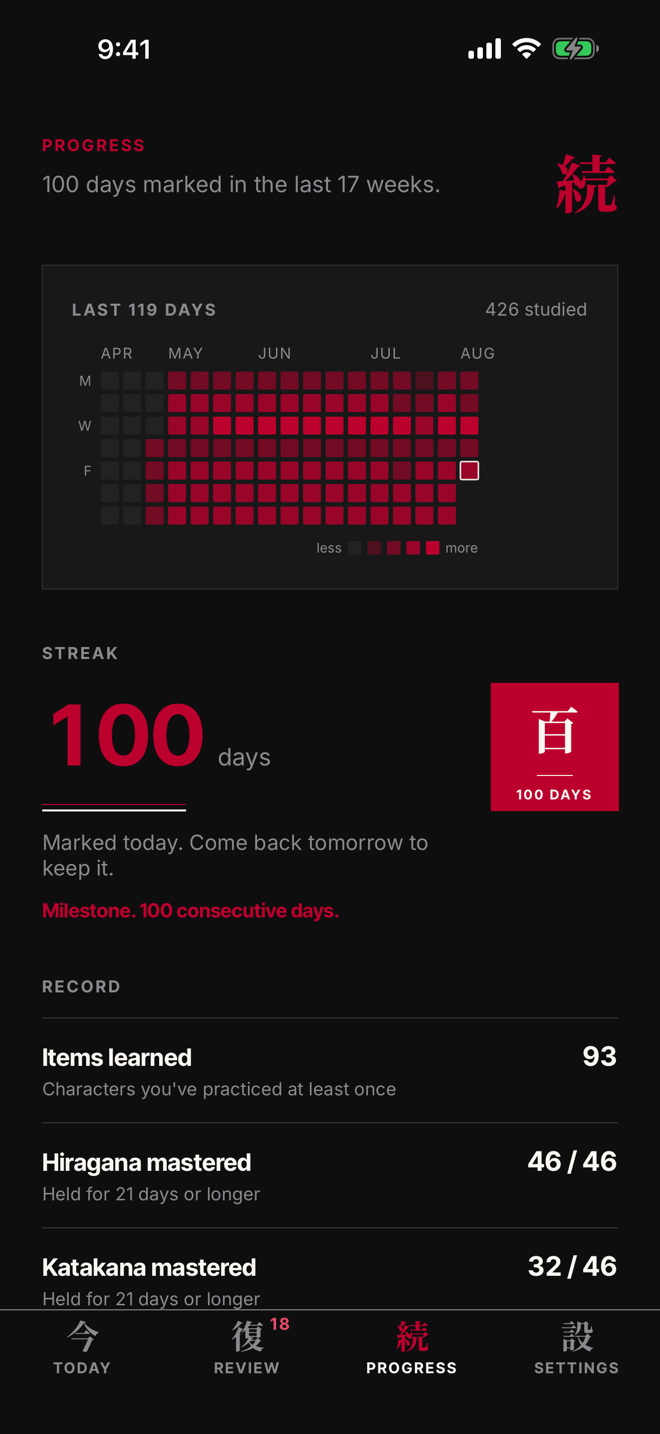
A hundred days
Watch a hundred days add up.
A stamp at seven days, thirty, and a hundred. Every character earns its badge, Seed to Sealed.
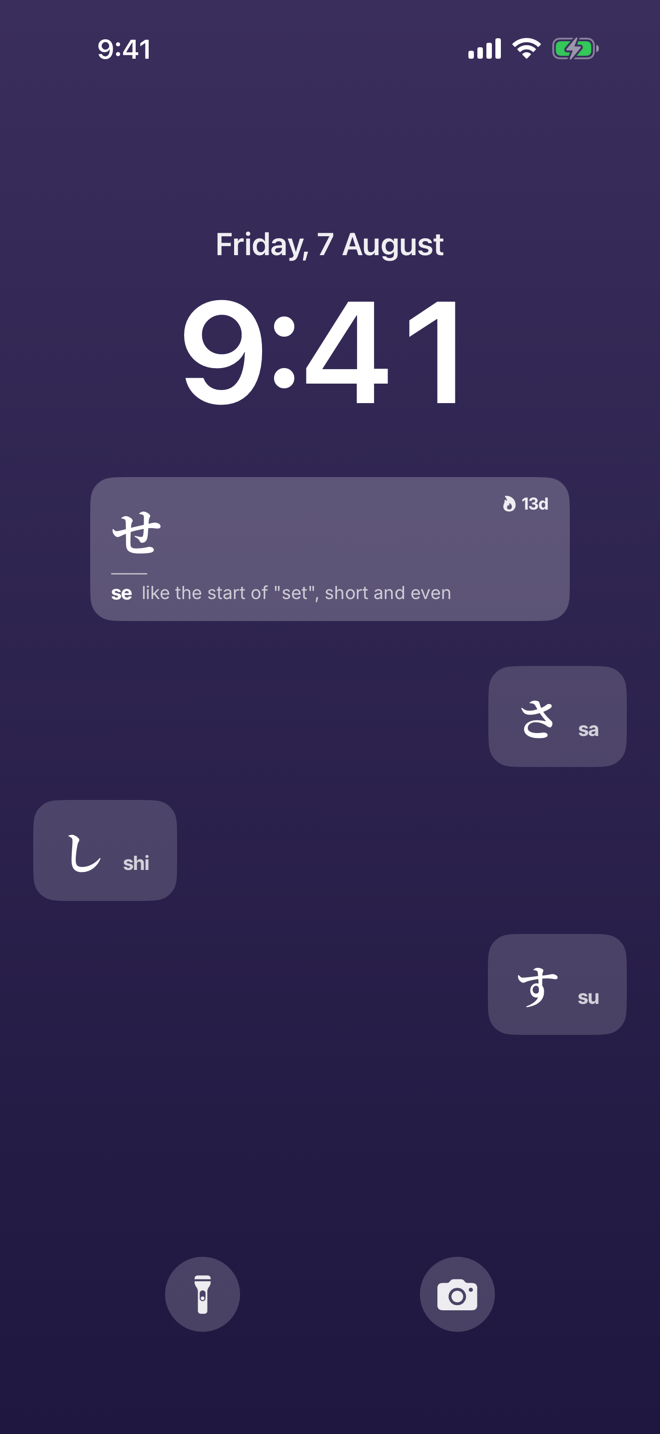
Lock screen
One new character a day. No app to open.
The lock screen widget refreshes at midnight, local time.
New: after kana, kanji
Kanji, built from parts you already know.
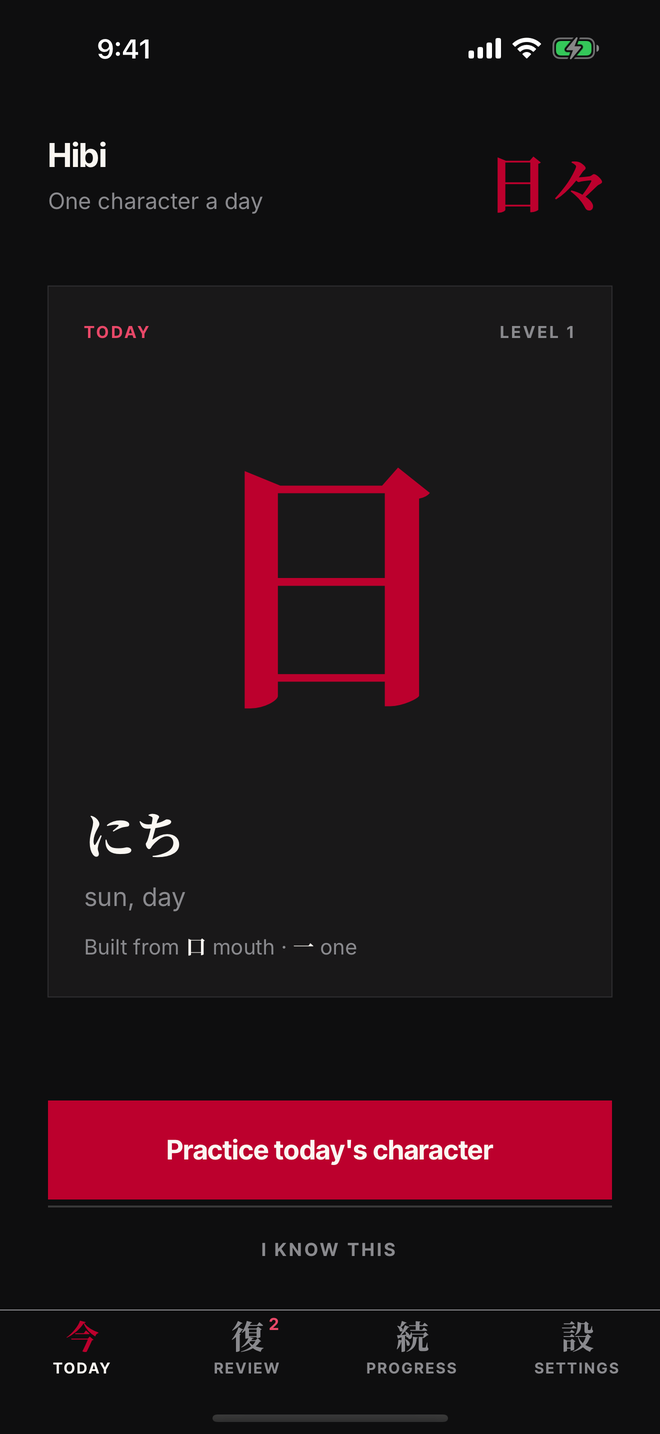
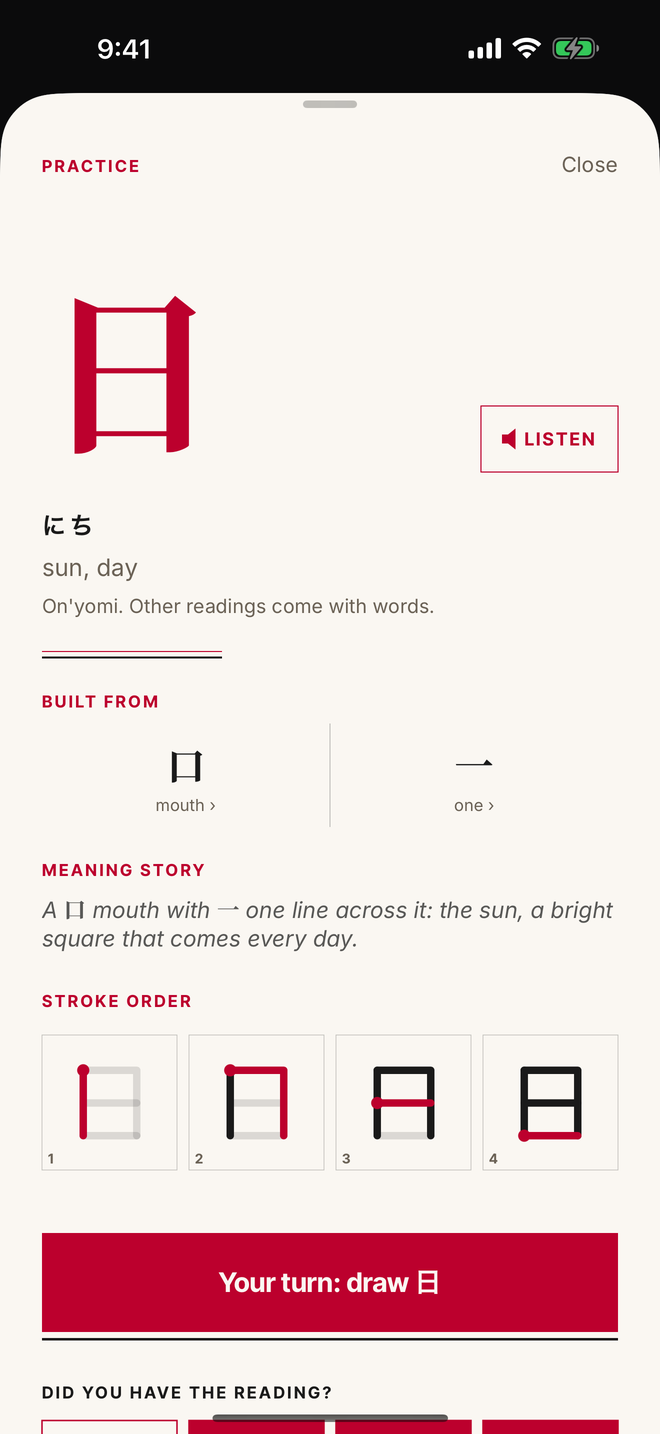
Once 96 of your 106 kana have passed, kanji begins. One a day, in levels of eight to twelve. Each kanji is built from parts you meet first, carries one reading, the one its most common word uses, and comes with a story that names its parts. 日 is 口 and 一: a mouth with one line across it, the sun. Draw it, then review it like everything else.
Levels 1 to 3 are in the app now, 33 kanji, JLPT N5 first. The Kanji and Parts decks sit in Quick Practice alongside the kana. More levels follow as free updates.
Widgets
Your kana board, on the home screen.
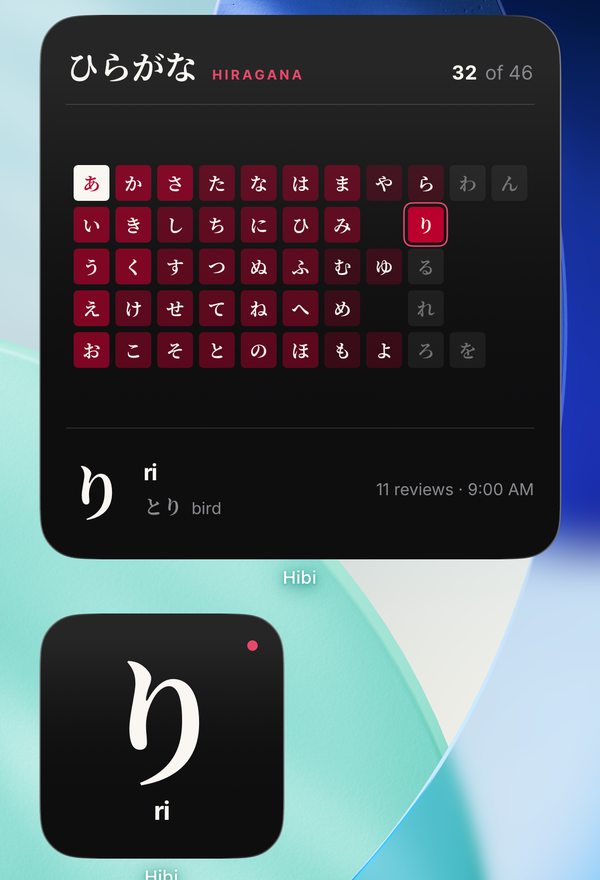
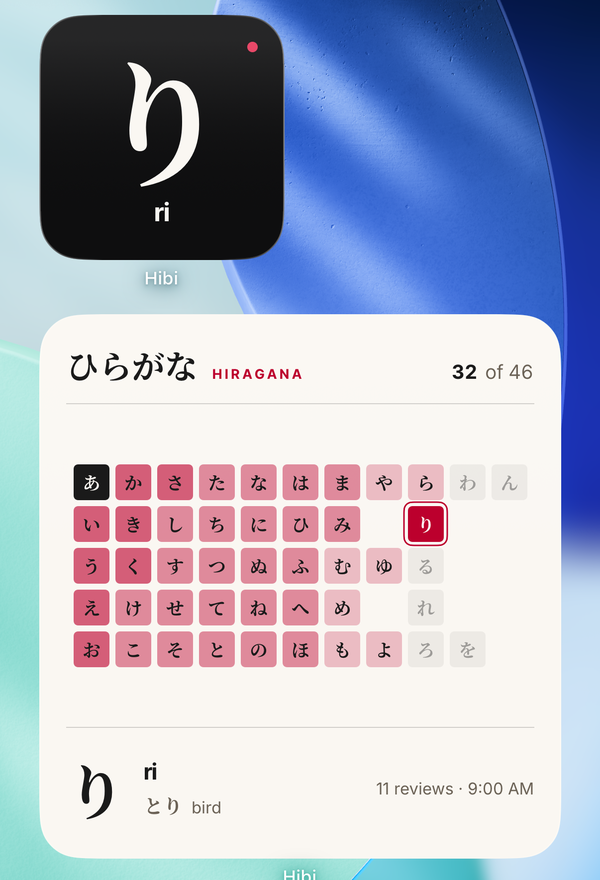
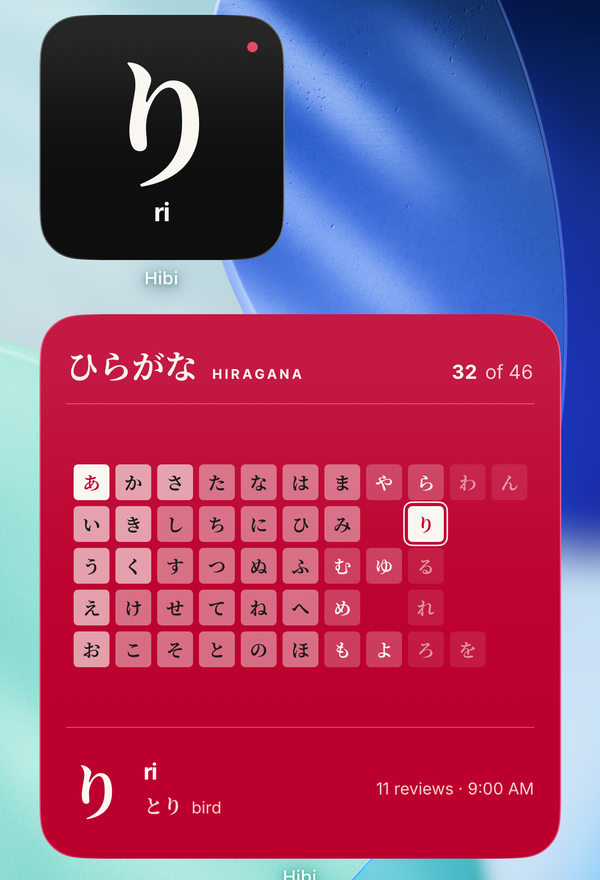
The large widget shows every hiragana as a grid that fills in as you learn. Fresh characters glow faintly, ones you have passed burn brighter, and the ones you have sealed flip to white. Today's character is ringed. The small widget is today's character and its reading, with a red dot until you have done today.
Long-press a widget and choose Edit Widget for three colours. The board can follow your track, or stay on hiragana or katakana while you work through the other.
The course
106 days of kana, in the order the chart is printed. Then kanji.
Gojūon order: the same order as every kana chart and Japanese keyboard you will ever use. Most apps open with kanji and let you drown in it. Hibi holds the line until you can actually read, and only then hands you the first kanji.
Hiragana
The alphabet everything else is built on, あ through ん.
Katakana
The script for every borrowed word on every menu and sign.
The sound rules
Dakuten, the small tsu, long vowels. The 14 cards that turn characters into words.
Kanji
One a day, in levels of eight to twelve, each built from parts you meet first. Levels 1 to 3 now.
More kanji levels and JLPT vocabulary are coming as free content updates. This page lists what is in the app today, and nothing that is not.
Built like a book
No cartoon owl. No streak that screams.
Noto Serif JP on bone white paper, one character per page, a single red accent. A Japanese book that happens to run on your phone. Every character and every example word is read aloud in Japanese, on device.
Your data
Your progress stays on your phone.
There is no Hibi account server. Every character you have seen, every review, and your whole schedule live in a database on your device, not on ours. What leaves is an anonymous check of whether you have paid and anonymous usage data that is never linked to you, described line by line in the privacy policy, with a switch in Settings that turns it off.
5.0 on the App Store
What the first learners say.
★★★★★Clean, calm, and easy to come back to every day. Learning one character at a time feels manageable instead of overwhelming.
jjjjawshua
★★★★★The hardest part was always staying consistent and this helped me do exactly that. I feel like I'm learning so much more but actually retaining it.
riz002
★★★★★Been wanting to learn Japanese since I like anime. This is the coolest tool for daily learning.
salgatto
Reviews quoted as written on the U.S. App Store.
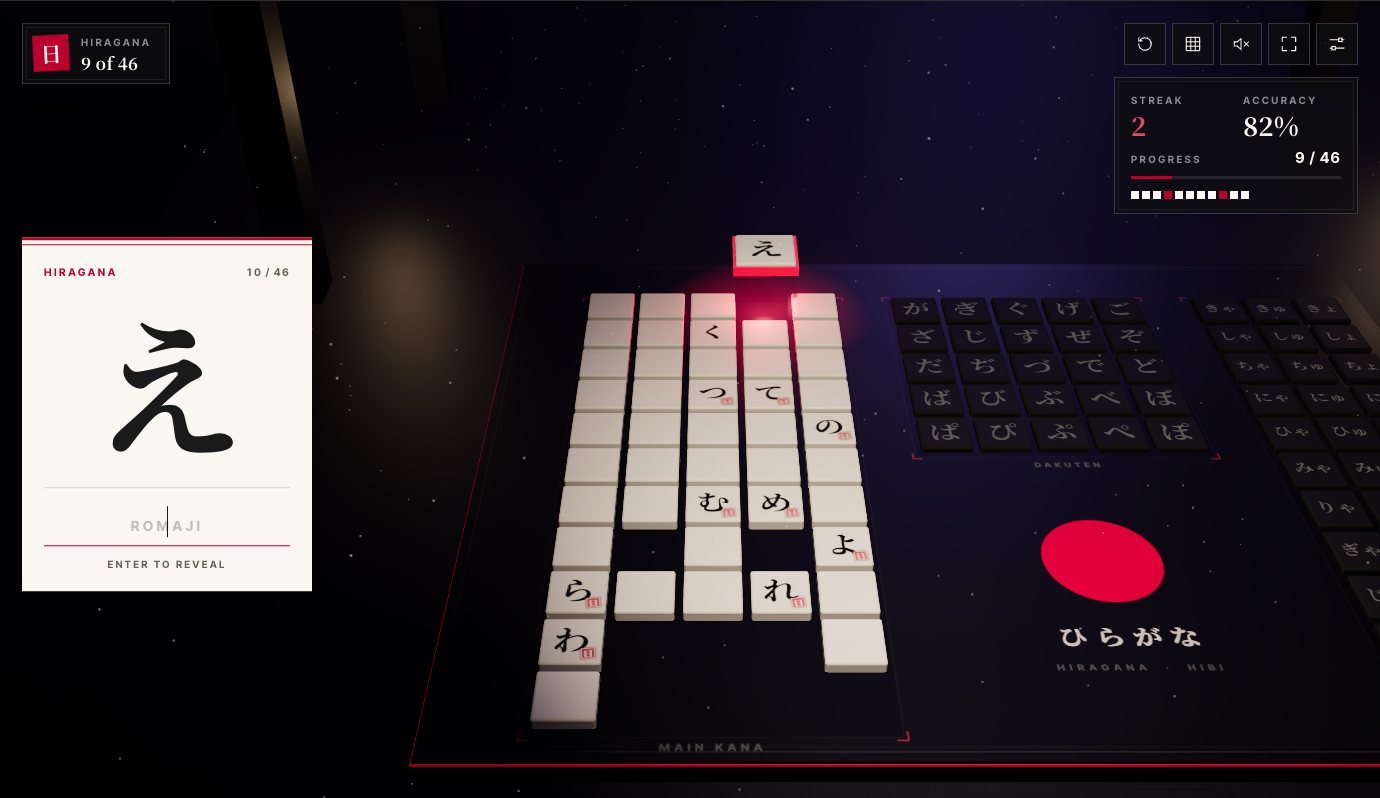
Free kana quiz
How many can you read right now?
Pick the rows you know, type what each character says, and watch the board light up. Hiragana, katakana, dakuten and the combos. Free, in your browser, no account.
Works on a phone or a laptop. Your scores stay in your browser.
Android
Hibi is coming to Google Play.
The iPhone app came first. Leave your email and you get one message, on the day Hibi is on Google Play.
We keep only your email address, use it for that one message, and delete it on request at team@learnhibiapp.com.
Questions
The ones worth answering.
Do I need to open the app every day?
No. The widgets are the product. Opening the app is for tracing, reviews, Quick Practice, and looking at how far you have come.
I already read hiragana. Do I start from あ?
No. Before day one you tick the kana you already read, and what you know starts as known. A light check comes two weeks in, a few a day, and each one you pass moves further out.
What if I miss a day?
Nothing is deleted and nothing is taken away. The next character waits for you, and the review queue reschedules itself around the gap.
Is there kanji?
Yes, after the kana. Once 96 of your 106 kana have passed, kanji begins: one a day, each built from parts you meet first, with one reading and a story. Levels 1 to 3 are in now, 33 kanji. More levels and JLPT vocabulary are coming as free content updates.
Does it work offline?
Yes. The curriculum, the audio, and the stroke data are compiled into the app. The only network calls are the subscription check and the anonymous usage data, and you can study with neither.
Can I use it on my iPad?
Yes, and the subscription follows your Apple Account across every device signed in to it.